Quick answer
Start by comparing FDM for everyday organisers and larger prototypes, and resin for small appearance models with fine detail. These are starting points, not a universal ranking. A part that looks excellent can still fail its fit, load or temperature requirements. Decide what the finished object must do before choosing a printer.
What FDM and resin mean
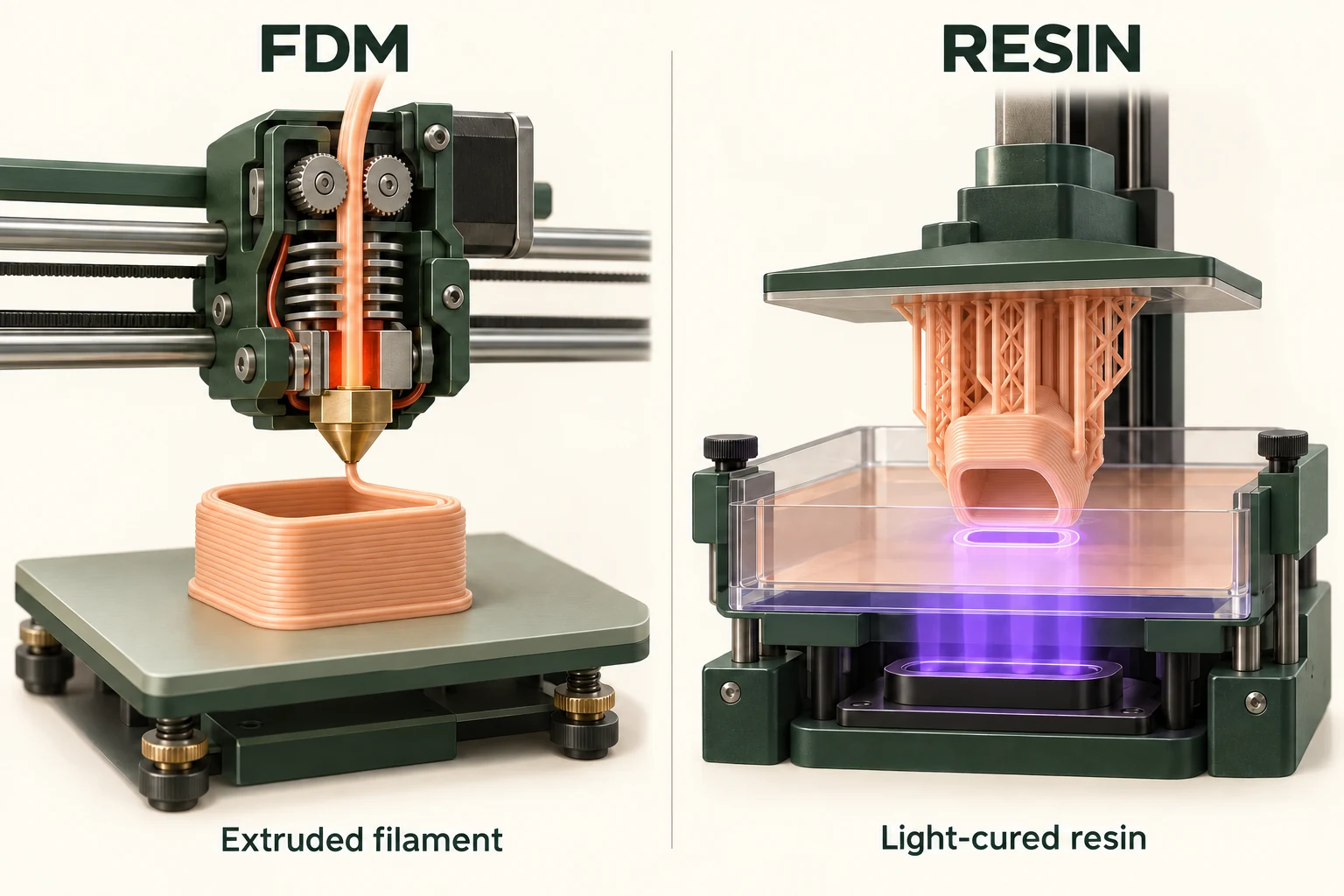
Fused deposition modelling (FDM), also called fused filament fabrication (FFF), deposits heated thermoplastic filament. Vat resin printing hardens liquid photopolymer with light. Laser SLA, DLP and LCD/MSLA use different exposure systems within that resin workflow. The term SLA is also used broadly, so check the actual technology in the printer specification. Stratasys technology comparison explains the process families.
FDM vs resin comparison
| What to compare | FDM / FFF | Resin printing |
|---|---|---|
| Feedstock | Thermoplastic filament | Liquid photopolymer resin |
| How it forms a part | A nozzle deposits material paths | Light selectively hardens resin |
| Fine detail | Check nozzle, paths and orientation | Check optics, resin and exposure |
| Visible finish | Layer paths may need finishing | Often suited to smoother appearance models |
| Strength decision | Compare the chosen filament and print direction | Compare the chosen resin and final cure |
| After printing | Support removal and finishing as needed | Washing and specified post-curing |
| Cost estimate | Include material, machine time and labour | Also include the resin-handling workflow |
| Acceptance test | Measure and test the finished sample | Measure and test after required post-processing |
These are process-level differences, not promised tolerances or prices. UltiMaker’s comparison discusses surface finish, material behaviour and post-processing; individual machines and materials still need evaluation.
Choose for the part you will actually make
- For a desk tray or a basic enclosure, request an FDM sample first. Check dimensions, edges and screw locations rather than paying for detail you do not need.
- For a miniature or a presentation model with small lettering, compare a resin sample. Inspect the smallest feature and the surfaces where supports were removed.
- For a bracket, clip or repeatedly handled part, write down the load and environment. Ask for the exact material grade and a relevant test, whichever process is proposed.
Compare the complete cost and working space
Ask both suppliers to quote the same file, quantity, material requirement and finished condition. Record preparation, supports, failed attempts, finishing and delivery separately. For ownership, include equipment and consumables needed after printing. A low purchase price does not answer what an accepted part will cost.
For resin, plan handling and cleanup before buying: follow the resin and cleaner safety data sheets, use the specified protective equipment and ventilation, and arrange appropriate waste disposal. Prusa’s resin safety guidance explains exposure concerns; Formlabs washing guidance explicitly excludes resin-contaminated washing solution from drains.
Is FDM stronger than resin?
There is no single strength number for either category. Compare tensile, impact and heat behaviour for the intended material and test conditions. UltiMaker’s PETG data sheet, for example, describes one filament’s properties and exclusions; it is not a rating for every PETG print or all FDM parts.
Is resin always faster?
Compare a sliced job and the time until the parts are ready to use. Do not compare an advertised printer speed with a finished service turnaround. Ask how a second copy changes the schedule and whether cleaning, curing and inspection are included.
Is resin better for miniatures?
Fine-detail appearance work is a reason to consider resin, but inspect a sample at your intended scale. Check facial features, text, support marks and thin parts. For larger terrain or a simple base, ask whether FDM already meets your finish requirement.
Should a beginner buy either printer immediately?
You can order one sample before committing to either workflow. Keep the file and a short acceptance checklist, then compare the result with your needs. Use the tools below to record costs and buying questions before turning a successful sample into a purchase.
Related comparisons and next steps
Compare SLA vs DLP, DLP vs LCD, FDM vs SLS, SLA vs SLS, SLS vs MJF. Use the printer buying guide to turn the comparison into a shortlist.
Already have a project? Use the print cost calculator for your assumptions or compare buying with outsourcing before investing.
Sources & further reading
We use AI to help prepare our guides. Check the sources and follow the instructions for your specific printer and materials.