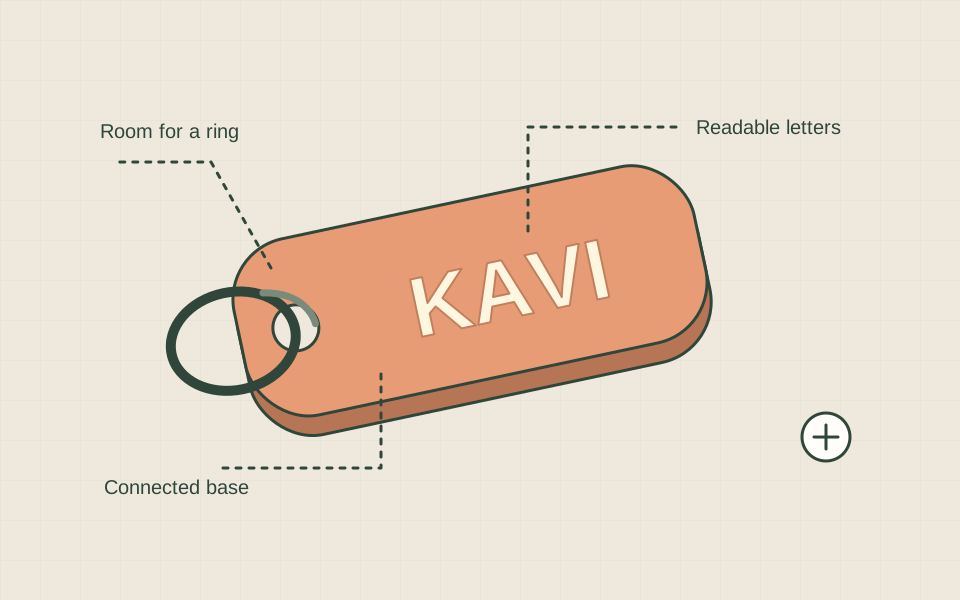
A personalised name keychain is a useful first design because the result is easy to inspect: the name should be readable, the letters should stay attached, and the ring should fit. Begin with one short name, a simple base and one colour. The dimensions below are starting design choices for a prototype, not a tested recipe for every printer.
Plan the object on paper
Write the name exactly as it should appear. Sketch a rounded rectangular base with the ring hole at one end. Measure the ring you want to use and leave room for it to move. For a first sketch, try an overall base around 60 mm long, 25 mm wide and 3 mm thick, then adjust for the name and hardware. Check those dimensions against a ruler before modelling.
Build connected geometry
Use a beginner model editor to create the base, add raised text and subtract a cylindrical hole. Position the text so it overlaps the base in height, then join the solid parts using the editor’s appropriate operation. Floating letters may look connected from above while remaining separate objects. Rotate the model and inspect from the side as well as the top.
Leave a generous border around the hole and the outer edges. A hole almost touching the edge creates a fragile connection. Use a straightforward bold font for the first version. Tiny decorative strokes, narrow letter joins and very small dots can be difficult to reproduce. Enlarging a word is not always enough; a simpler font may communicate the name more clearly.
Prepare a prototype
- Save an editable project before exporting the model.
- Check the exported dimensions in the slicer; confirm the units did not change.
- Place the flat base on the build plate and inspect the layer preview.
- Look for missing letter strokes, isolated islands and a hole that remains open.
- Use an appropriate material and supported profile for your machine.
- Print one sample before making gifts or a batch.
Check the parts that matter
Once the sample is cooled and ready to handle, read it from an ordinary viewing distance. Look at both sides for rough edges or incomplete features. Try the actual ring without forcing it. Gently check that the lettering and ring attachment are connected, while remembering that a quick hand check is not a durability test. If it cracks, redesign the connection before using it.
| Problem | A design change to consider |
|---|---|
| Name is hard to read | Use a simpler font or increase the letter size. |
| A small feature is missing | Check the preview and thicken or remove that feature. |
| Ring will not fit | Measure the hardware and enlarge the hole in the design. |
| Hole border breaks | Increase the surrounding material and test another prototype. |
Make the second version deliberate
Change one visible issue and save the new model with a version number. Keep the first sample so you can compare them. A photo next to a ruler and a note about the ring are more useful than “version two is better.” If you plan to sell the design, check permissions for any downloaded artwork, fonts or models you used and keep a record of the source.
You can use 3dkavi’s keychain creator to explore a personalised design. If you need someone else to print it, provide the intended size, name and ring requirements with your request.
Sources & further reading
We use AI to help prepare our guides. Check the sources and follow the instructions for your specific printer and materials.